We recently migrated AgriHerd (our agri-ecommerce platform) from AWS to a Contabo VPS with Docker Compose and GitHub Actions. The old infrastructure, an EC2 instance, RDS database, and ECR repository — was no longer being used.
It was time to shut it down to avoid any surprise AWS bills. But I didn’t want to just delete everything and lose the history of how we used to run the system.
Here’s exactly what we did, step by step.
Step 1: Audit what we actually had
I explored the old Terraform folder to understand the full picture.
We had several resources running on AWS in the eu-north-1 region, including compute, a database, a container registry, security groups, IAM roles, and stored parameters.
The first thing I did was list all the managed resources and review the configuration files to see what was still active and what had already been commented out over time.
Step 2: Preview the destruction safely
Before touching anything, I ran a destroy plan. This showed exactly what would be deleted (16 resources in total) and confirmed that the setup had safe flags in place — such as skipping final database snapshots and forcing deletion of the container registry.
This step gave us confidence that we could clean everything up without leaving behind unexpected costs or orphaned resources.
Step 3: Decide to preserve the infrastructure code
Instead of just running destroy and deleting the folder, we made a deliberate choice: copy the entire infrastructure setup “as is” into our main application repository.
Why? Because this code represents real history — how we originally deployed the platform. Future team members (or future us) might need to understand or reference it. Deleting it would have meant losing that knowledge forever.
Step 4: Copy the files cleanly into the main repo
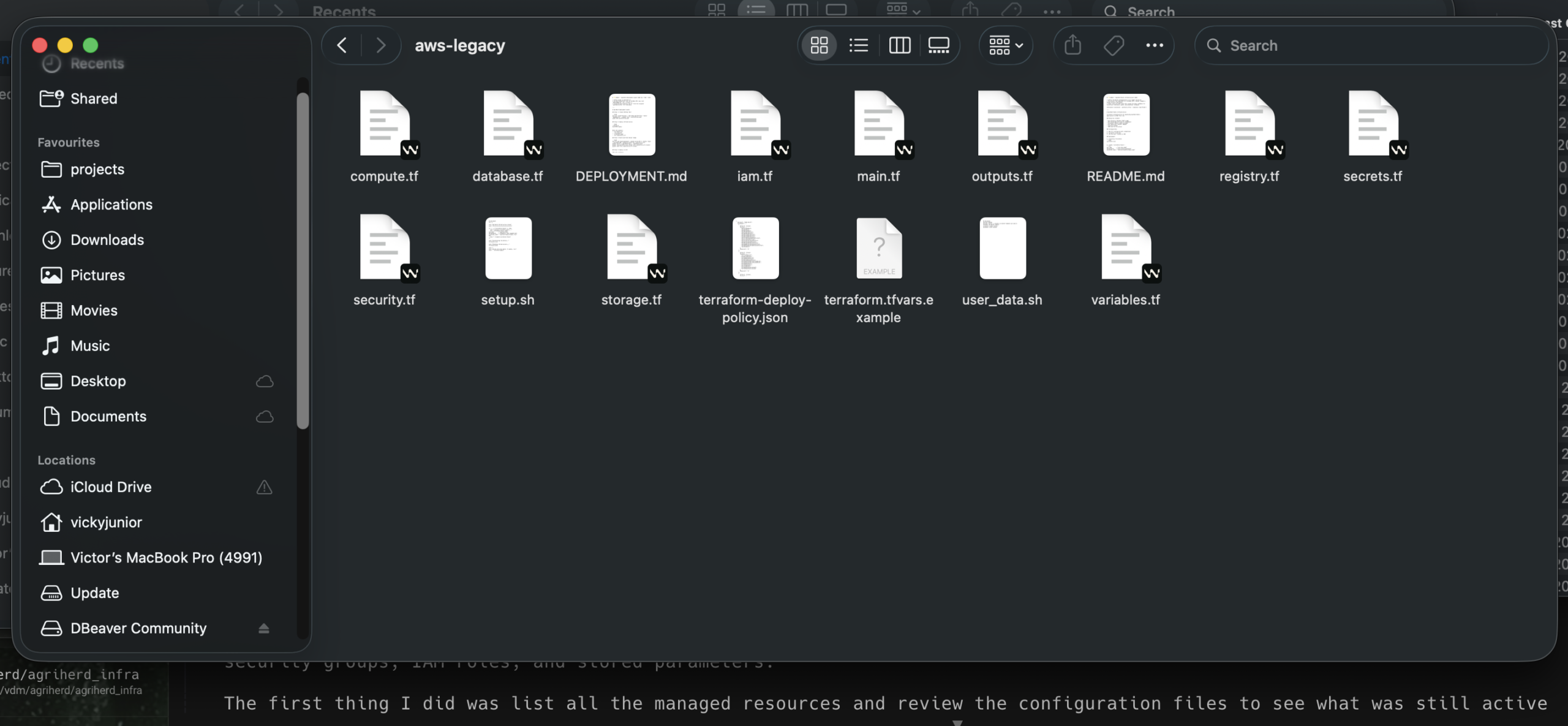
We created a new location inside the main codebase called infra/aws-legacy/.
We copied over all the core Terraform files, deployment scripts, and original documentation exactly as they were.
We were careful about what we didn’t copy:
• State files
• Private keys
• Credential files with real secrets
We also created a safe example variables file with placeholders instead of real values.
Step 5: Make the legacy nature obvious
To prevent confusion, we added clear “LEGACY” warnings at the top of the copied documentation files.
We also updated the project’s gitignore file to automatically protect the new legacy folder from ever accidentally committing state files, real variables, or keys in the future.
Step 6: Commit the changes properly
We staged only the relevant files (the new legacy folder and the gitignore update) and created a single, clear commit with a detailed message explaining:
• What was copied
• Why we preserved it
• That the live AWS resources could now be safely destroyed
This created a permanent, searchable record inside the main repository.
Next Step: Destroy the resources
Now that the infrastructure definition lives safely inside our main codebase, we can run the actual destroy command on the old AWS account with peace of mind.
Key Approaches That Made This Work
• Preserve first, destroy second — We treated the teardown with the same care as we would a new deployment.
• Copy “as is” instead of rewriting — Keeping the original code is more valuable than creating a summary.
• Make legacy obvious — Clear folder naming and warnings at the top of files reduce the chance of future confusion.
• Protect secrets aggressively — Even legacy code should never contain real credentials.
• Preview everything — Never destroy without seeing the exact plan first.
• Document the decision in git — A good commit message turns the action into useful history.
This process let us move forward with a clean AWS account while keeping the full story of our earlier infrastructure inside the main project.
Have you had to clean up old cloud resources after a migration?
How did you handle preserving (or not preserving) the old infrastructure code? I’d love to hear your experiences in the comments.